How to Calculate Driving Distance Between Multiple Addresses for Free
You have a list of addresses: a delivery round, a sales trip, a weekend of visits, or a drive across the country. You need to know how far it is in total, how long it will take and how much fuel it will cost. Most people work it out one leg at a time on a map and add the numbers up by hand. This guide shows a faster way that is free and takes about a minute.
👉 Open the free calculator on DistanceTo.biz
Why calculating it by hand wastes time
When you calculate distances one pair at a time, you repeat the same routine for every stop: type the start, type the destination, write down the kilometres, then start again for the next leg. With five addresses that is four separate searches, four numbers to copy and a sum to add up, and one typo is enough to make the total wrong. Change the order of the stops and you have to do it all again.
A multi-stop route calculator does all of this in one go. You enter every address once, put them in order, and get every leg plus the totals together.
What you get with DistanceTo.biz
Up to 10 stops in one route, and you can reorder them
Road distance and travel time on real roads (OpenStreetMap data), by car, bike or on foot
A table of every leg, so you can see the distance between each pair of consecutive addresses
Straight-line (“as the crow flies”) distance shown next to the road distance
Turn-by-turn directions for the route
Fuel cost, one way or round trip
A shareable link that reopens exactly the same route
Results in kilometres and miles. It’s free, needs no account and works on phones, tablets and computers
Step-by-step: calculating a route with several addresses
- Open the calculator
Go to distanceto.biz in any browser. There is nothing to install and nothing to sign up for. The page is available in English and Romanian.
- Enter your starting point
In the start field, type a city, a full street address or GPS coordinates. You can also click directly on the map to drop a point there. That’s handy for a farm, a car park or anywhere without a clear address.
- Add each address as a stop
Click “Add stop” once for every address between your start and your final destination, then fill them in. You can add up to 10 stops in one route.
- Put the stops in the order you will drive them
The road route goes through the stops in the order they are listed, so reorder them to match your plan. If you are not sure which order is shortest, try a couple of orders and compare the totals. It only takes a few seconds each time.
- Choose a travel mode and click “Calculate”
Pick car, bike or on foot, then click “Calculate”. You will see:
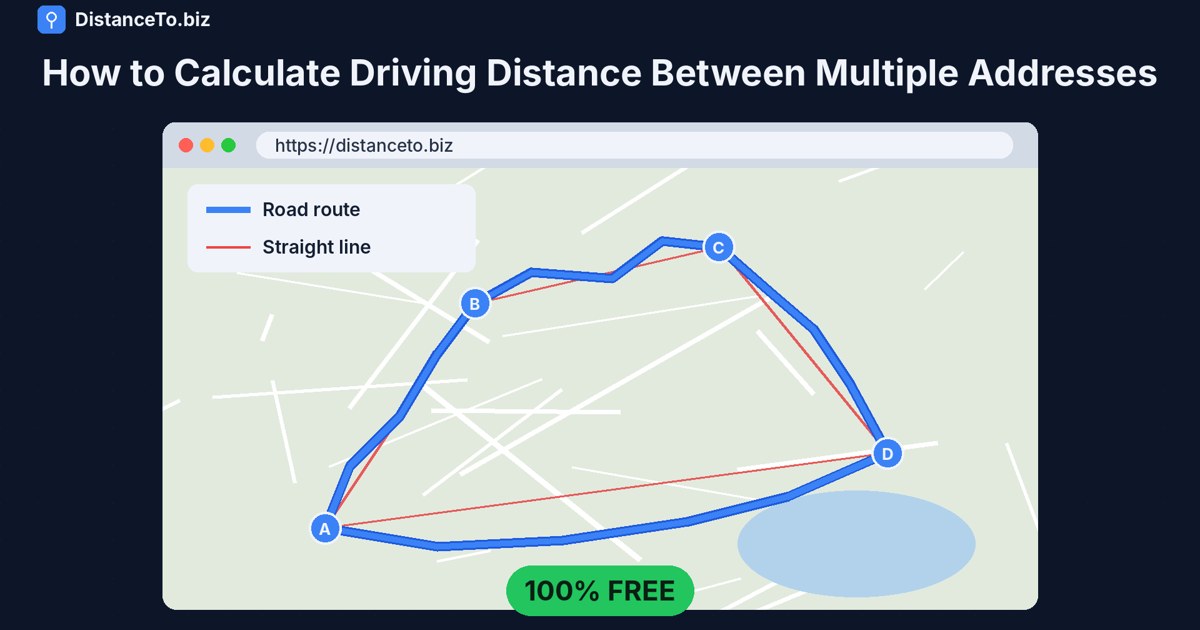
the total road distance and travel time, drawn as a blue line on the map,
the straight-line distance, drawn as a red line,
a table with every leg, for example A → B, B → C, C → D.
You can drag the markers on the map to fine-tune a position, and the route updates.
- Estimate the fuel cost (optional)
Enter your car’s consumption (in L/100 km or km per litre) and the fuel price per litre. The calculator shows what the trip will cost, one way or as a round trip. That’s useful for splitting costs with passengers or claiming business mileage.
- Save or share the route
Click “Copy link” to get a link that reopens exactly the same map with the same stops. Send it to a colleague, a driver or yourself, or keep it for next week’s round.
Tip: Only need the distance between two cities? DistanceTo.biz has ready-made pages for popular routes, such as Bucharest to Iași. Browse them all in the list of city distances.
Example: a 4-stop delivery round
Say you start at your warehouse, deliver to three customers and drive back. On DistanceTo.biz you enter the warehouse as the start, add the three customer addresses as stops and set the warehouse again as the final destination. One click gives you:
What you see Why it helps
Distance and time for each leg You know how long each drive takes before you tell customers when to expect you
Total road distance For mileage claims, invoices or logbooks
Total travel time For planning the day realistically
Round-trip fuel cost For pricing the delivery or tracking expenses
A shareable link The driver gets the exact route, in order, on their phone
Doing this by hand would take four separate lookups and a calculator. Here it is one form and one click.
Who uses multi-address distance calculations?
Small businesses and couriers planning delivery rounds and pricing them
Sales reps and field technicians visiting several clients a day
Freelancers and employees who need accurate kilometres for mileage claims
Travellers planning a road trip with several cities along the way
Cyclists and walkers planning a route with stops, using the bike or on-foot mode
Friends sharing a car who want to split the fuel cost fairly
Road distance vs. straight-line distance
The road distance is how far you actually drive, following real roads. The straight-line distance (“as the crow flies”) is the shortest path over the Earth’s surface, ignoring roads. DistanceTo.biz calculates it precisely with the Vincenty formula on the WGS84 ellipsoid. Road distance is what matters for driving, fuel and time. Straight-line distance is useful for comparisons, flight estimates and anywhere a direct line is what counts. DistanceTo.biz shows both on the same map, so you never have to choose.
Frequently asked questions
Is it really free?
Yes. DistanceTo.biz is free to use and needs no account or registration.
How many addresses can I add to one route?
Up to 10 stops in one route, plus your start and destination fields. For longer lists, split the trip into two routes and add the totals.
Can I use full street addresses, or only cities?
Both. You can type a city, a town, a full address or GPS coordinates, or click a point on the map.
Does it show the distance between each stop?
Yes. Every leg of the route is listed separately in a table, as well as the total.
Does it find the best order of stops automatically?
The route follows the stops in the order you list them. You can reorder them and calculate again to compare different orders.
Does it work on my phone?
Yes. It works in the browser on phones, tablets and computers.
Are the results in kilometres or miles?
Both are shown, so it works for users in Europe, the UK and the US alike.
Try it now
Next time you have a list of addresses, skip the one-leg-at-a-time routine. Enter them all once, click Calculate, and get the distance, time and cost of the whole trip.
👉 Calculate your route on DistanceTo.biz